
Introduction
Android has the same core protocols as Windows, plus HTTPS Proxy for networks that only allow web proxy traffic.
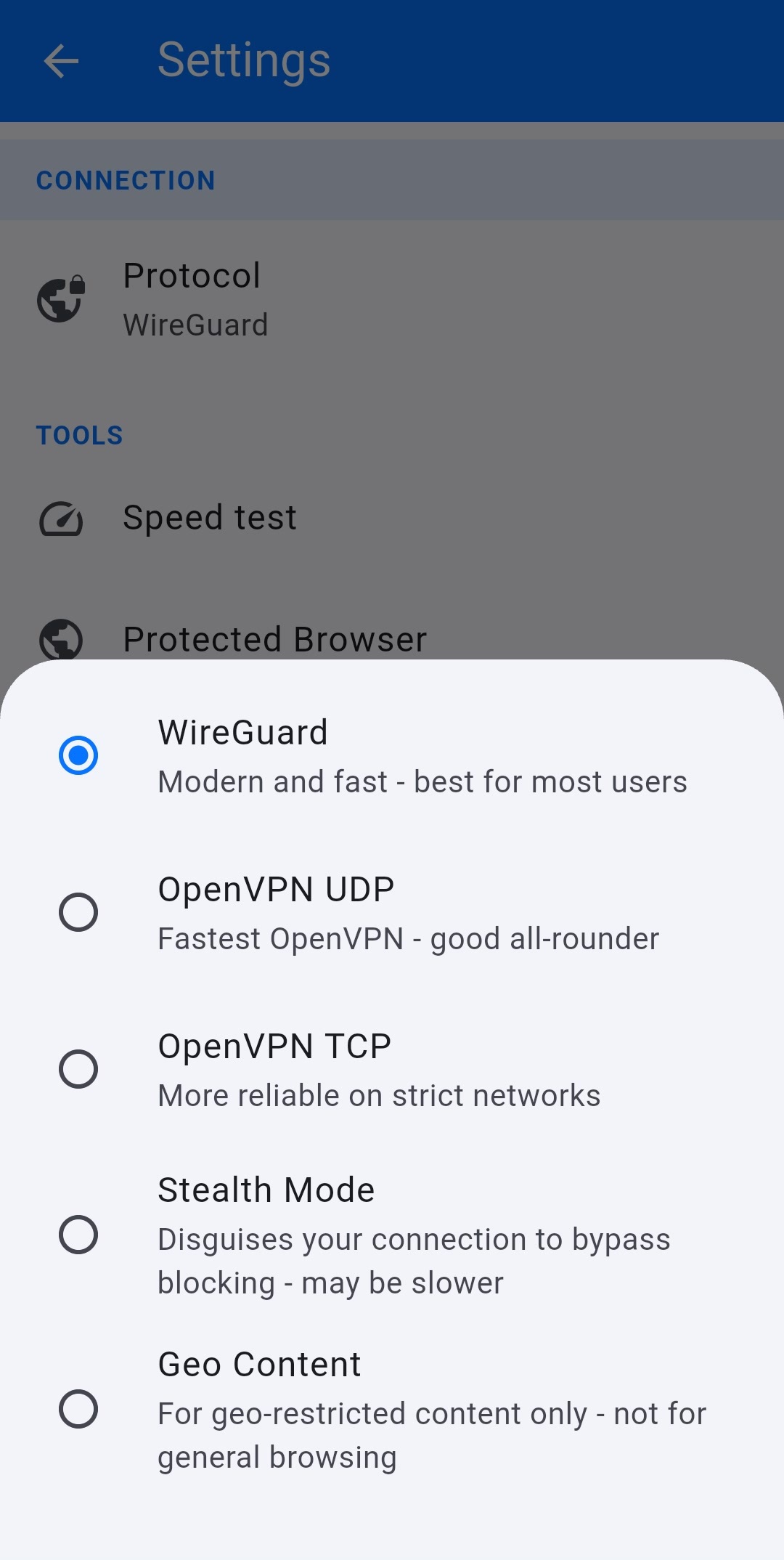
Change protocol
- Open the app > gear (Settings).
- Under CONNECTION, tap Protocol.
- Select a protocol, go back, and reconnect.
Options
- WireGuard — Modern and fast. Best for most users.
- OpenVPN UDP — Fastest OpenVPN. Good all-rounder.
- OpenVPN TCP — More reliable on strict networks.
- Stealth Mode — Disguises the connection to bypass blocking. May be slower.
- HTTPS Proxy — Routes via proxy servers only. Use this when a full VPN tunnel is blocked but HTTPS still works (some campus and hotel Wi-Fi).
The home screen protocol chip (next to Kill switch) is a shortcut to this same list. After a change, the home screen line Protocol: should match what you selected.


