
Introduction
Tap the location card (for example London 8) to open Choose server. Android has a Servers list and a Countries list, plus Auto (fastest).
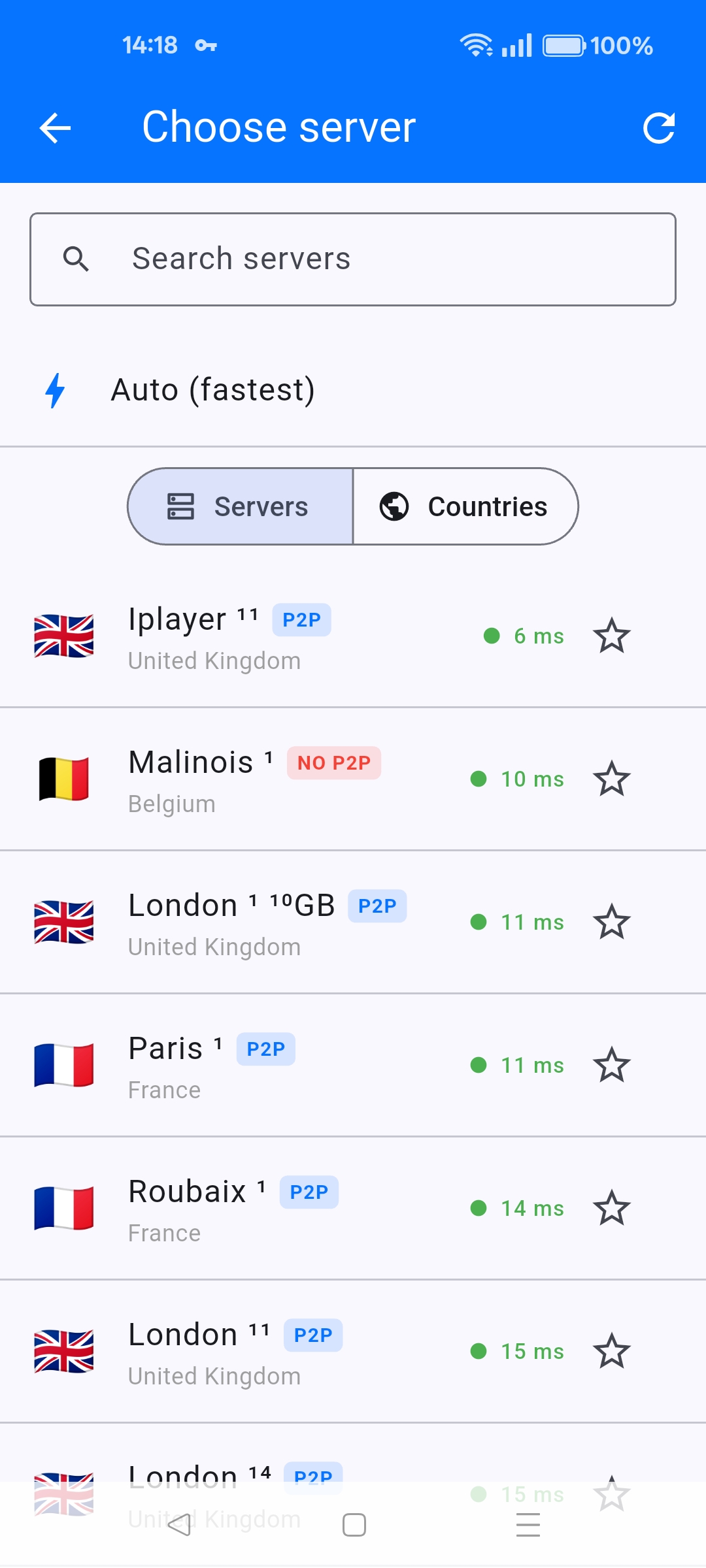
Servers tab
- Search by city name.
- Green ping is a good everyday server.
- P2P — torrents allowed.
- NO P2P — do not use that node for file sharing (example: Malinois 1).
- 10GB — 10 Gbit server (example: London 1).
- Iplayer — UK streaming-oriented server. Use this for BBC iPlayer when a generic London node is not enough.
- Star a server to favourite it.
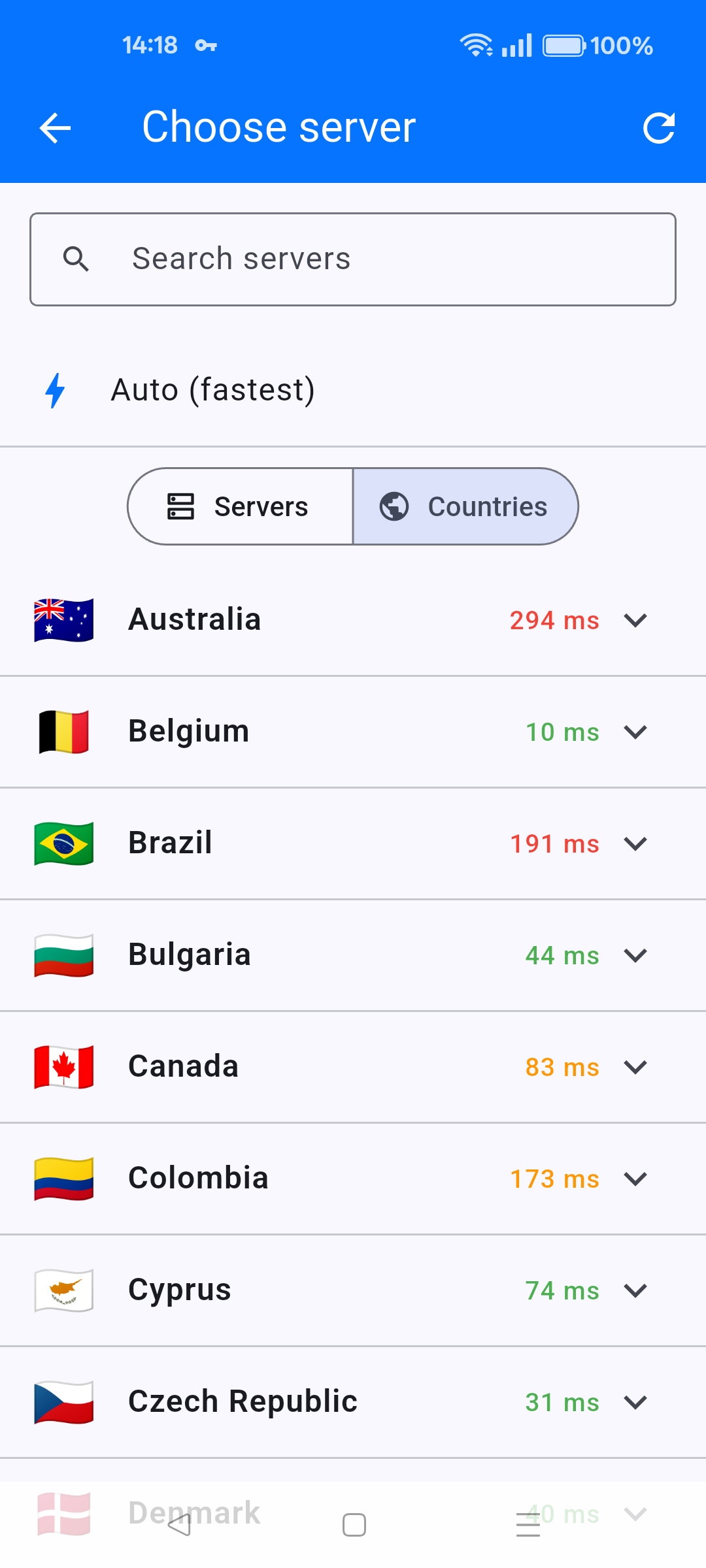
Countries tab
Countries shows one ping per country (Australia 294 ms vs Belgium 10 ms in the screenshot). Open a country to pick a city. For speed, stay on a green-ping country. For a library or site that checks region, pick that country even if ping is higher.
Auto (fastest) at the top is the same as Settings > Auto-connect to fastest.


