
Introduction
Android TV uses the same protocol list as the phone, including HTTPS Proxy, and the same DNS list (Quad9 by default).
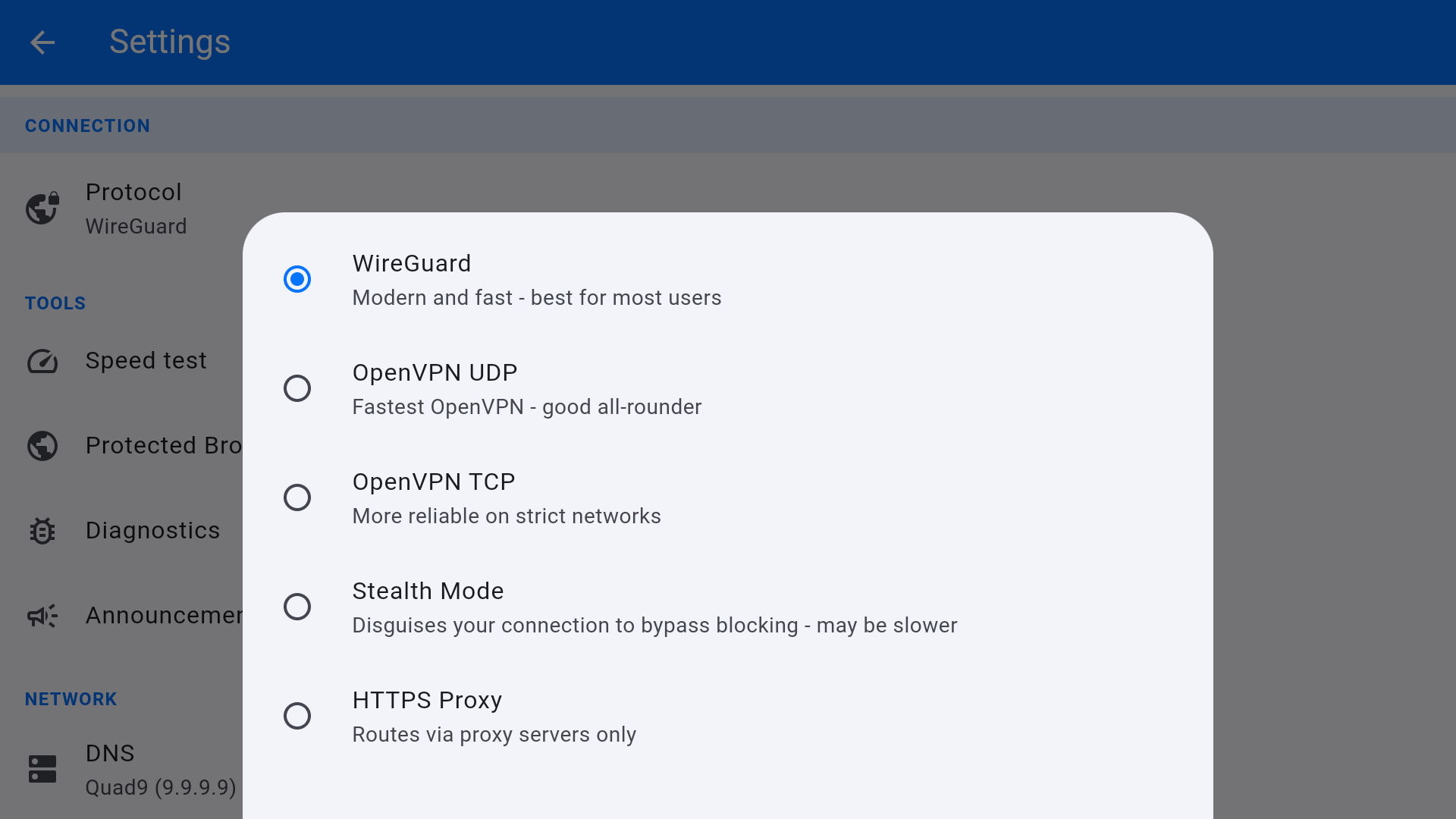
Protocol
- Open Settings from the home tile or the gear.
- Under CONNECTION, open Protocol.
- Choose WireGuard, OpenVPN UDP, OpenVPN TCP, Stealth Mode, or HTTPS Proxy.
- Reconnect. The home screen Protocol: line updates.
For streaming on a clean home network, stay on WireGuard. If the ISP or a smart DNS/TV overlay interferes, try OpenVPN TCP, then Stealth Mode.
DNS
Under NETWORK, tap DNS. Options are Quad9 (9.9.9.9), Cloudflare (1.1.1.1), Google (8.8.8.8), AdGuard (94.140.14.14), and Custom DNS. Keep Quad9 unless a streaming app breaks, in which case try Cloudflare.


