
Introduction
If you would rather use the official OpenVPN Connect app instead of the VPN Safe client, import our .ovpn files. We publish two zip packs: UDP (faster) and TCP (stricter networks). Profiles use port 1194 and your Client Area username/password.
App: openvpn.net/client
UDP configs: vpnsafe.net/downloads/openvpn-udp.zip
TCP configs: vpnsafe.net/downloads/openvpn-tcp.zip
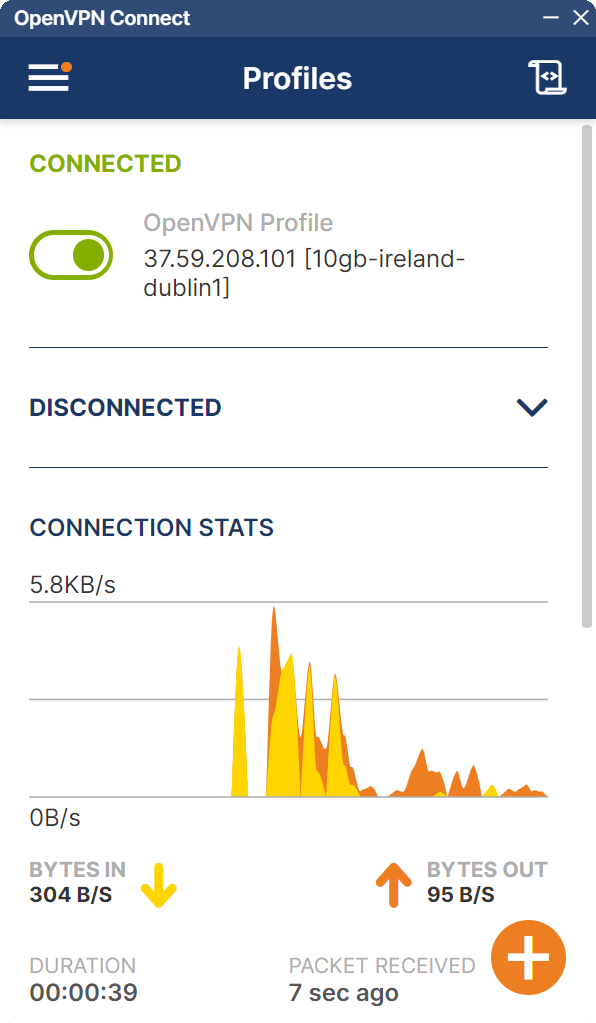
Import and connect
- Install OpenVPN Connect for Windows, macOS, Android, or iOS.
- Download the UDP or TCP zip and unpack it. Each file is a city, for example
10gb-ireland-dublin1.ovpnorbelgium-malinois1.ovpn. - In OpenVPN Connect tap + (or the import icon) and choose the
.ovpnfile. - When asked, enter your VPN Safe username and password (the same as the VPN Safe app, for example
acc943407). - Toggle the profile on. The list shows CONNECTED in green, bytes in/out, and duration.
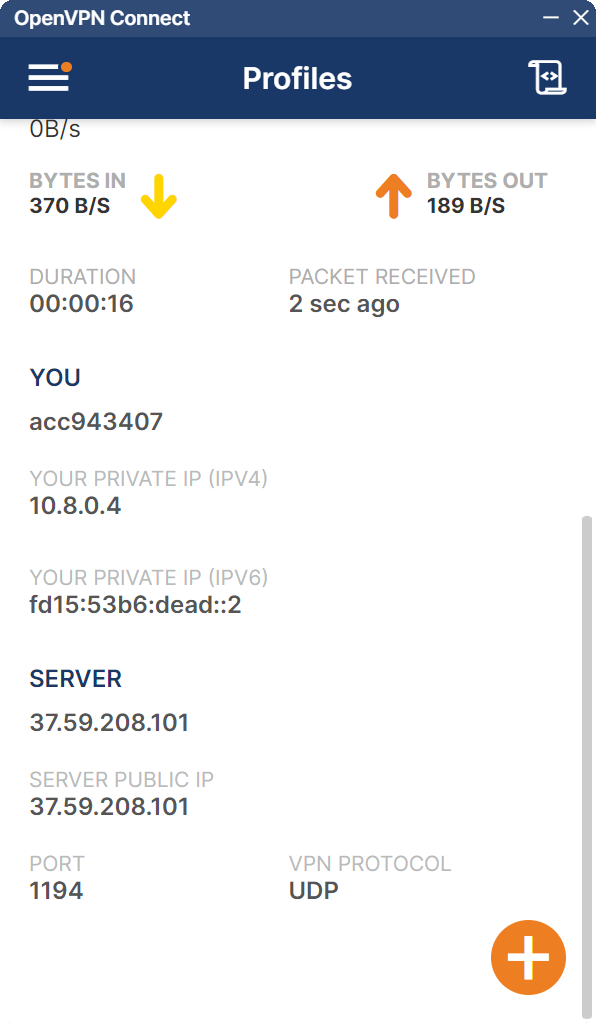
The details pane shows your tunnel IPv4 (example 10.8.0.4), the server public IP, port 1194, and UDP or TCP. Check the public IP at vpnsafe.net/whats-my-ip — it should match SERVER PUBLIC IP.


