
Introduction
The server list in every VPN Safe app tags some nodes. Those tags are how you pick the right city for torrents, bulk downloads, or UK TV.
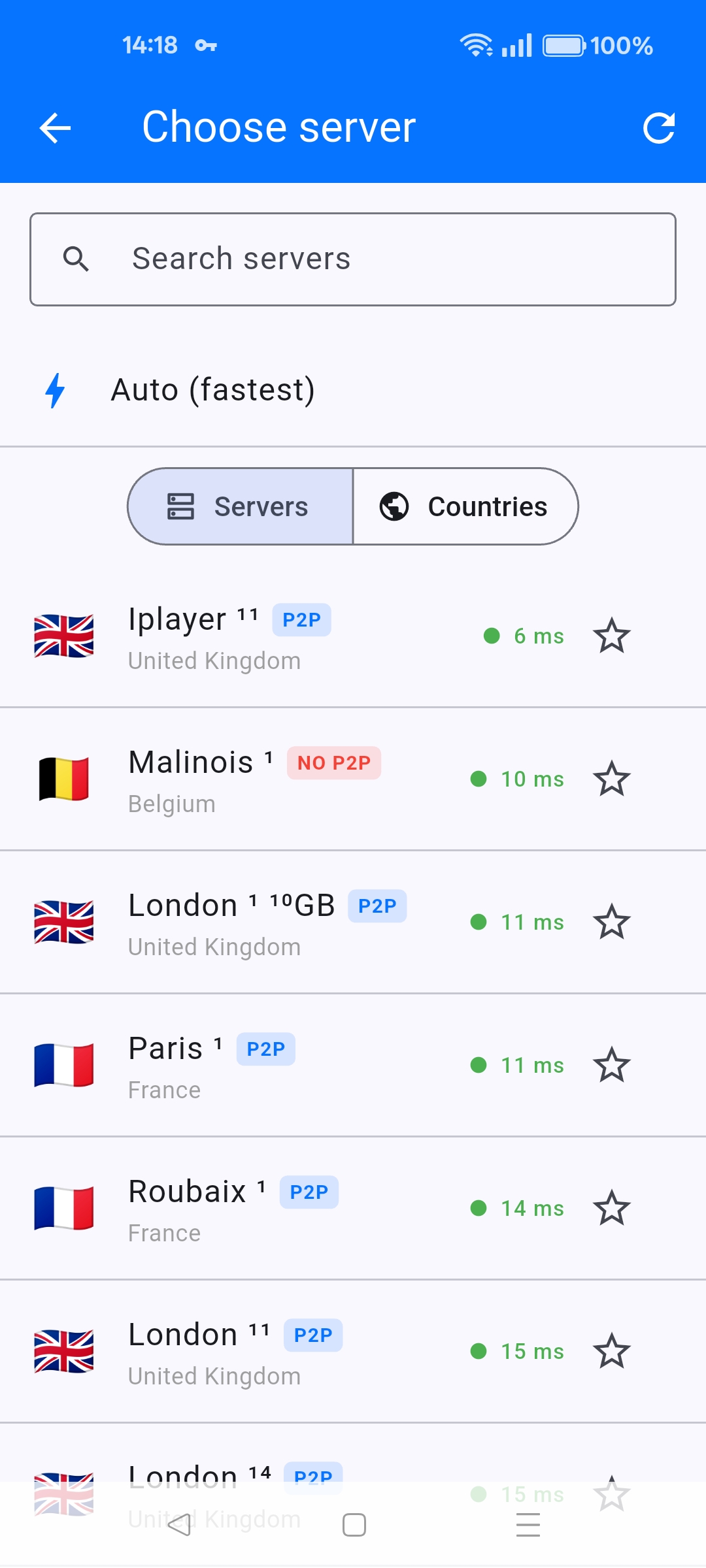
P2P
A blue P2P badge means peer-to-peer is allowed. Use these for torrents and similar. A red NO P2P badge (example: Malinois 1) means do not run file sharing there — pick another city.
10GB / 10gb
A 10GB or 10gb tag is a 10 gigabit server (examples: London 1, Frankfurt, Brussels, Dublin). Use these when you care about throughput: large downloads, 4K, or many devices on one account. OpenVPN configs for those nodes are named like 10gb-ireland-dublin1.ovpn.
Iplayer
Iplayer is a UK streaming-oriented server. Try it when BBC iPlayer or similar UK services fail on a generic London node. If it still fails, see the existing article Troubleshooting BBC iPlayer and Netflix Access Issues with VPN.
Ping and offline
Green milliseconds = nearby. Orange/red = far. On Android TV a row can also say may be offline — skip it and refresh the list (circular arrow). Auto (fastest) ignores badges and picks the lowest ping, which may not be a P2P or iPlayer node, so do not use Auto when you need a specific tag.


