
Introduction
Every VPN Safe app (Windows, Android, Android TV) sets DNS inside the tunnel from Settings > NETWORK > DNS. You must be in App mode: Advanced to see it. This is separate from Windows/macOS adapter DNS and from Android Private DNS.
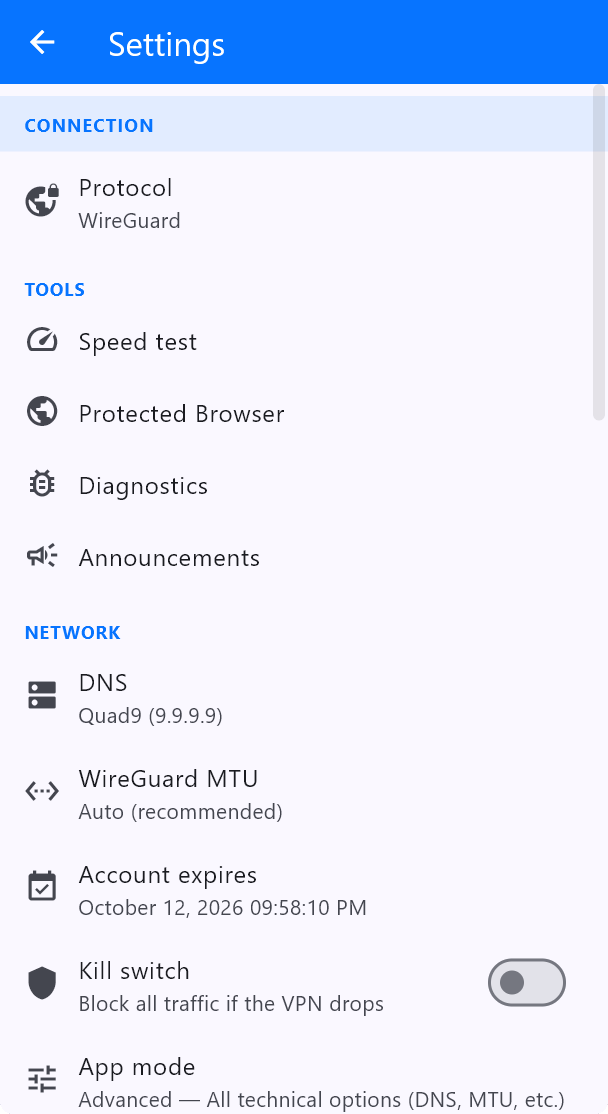
Built-in resolvers
- Quad9 (9.9.9.9) — Default in the current screenshots. Blocks known malicious domains, keeps little identifying data.
- Cloudflare (1.1.1.1) / 1.0.0.1 — Fast public DNS. Official WireGuard configs from the Client Area often ship with 1.1.1.1 already in the file.
- Google (8.8.8.8) / 8.8.4.4 — Google Public DNS. Useful as a control test if a site fails on Quad9 or AdGuard.
- AdGuard (94.140.14.14) — Filters ads and trackers at DNS time. Similar idea to the in-app Block ads & trackers switch.
- Custom DNS — Any resolver you type, for example a NextDNS address or a LAN Pi-hole. If the custom server is on your LAN, also enable Allow local network.
Do not mix three DNS systems
Pick one: the VPN Safe app DNS, or the DNS baked into a WireGuard .conf, or the OS resolver. If the official WireGuard app says DNS 1.1.1.1 and the VPN Safe app says Quad9, that is two different products — run one client at a time.
After a change, reconnect and test with dnsleaktest.com plus vpnsafe.net/whats-my-ip. You should not see your ISP’s resolver.


